Grab a straw
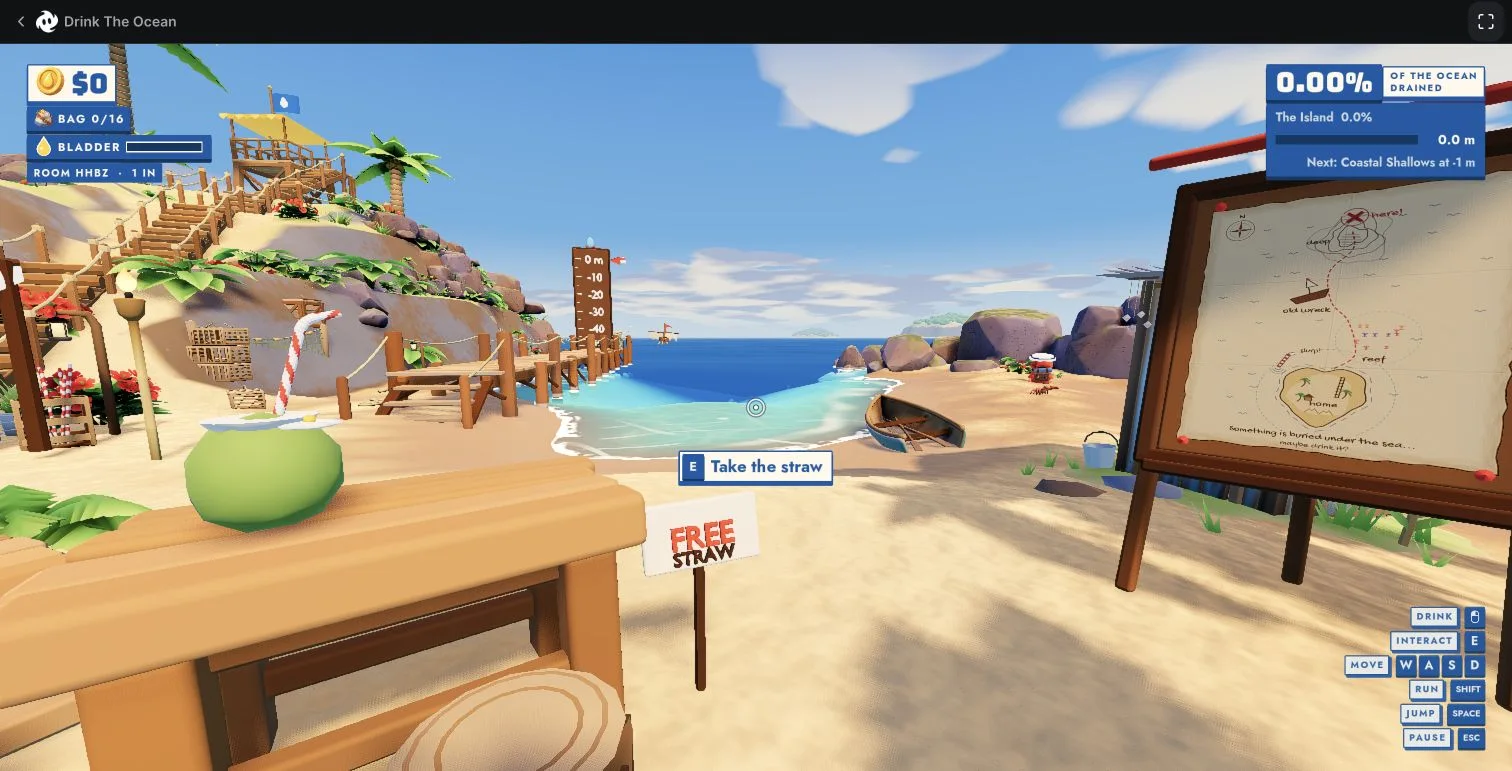
At the starting island, walk up to the free straw stand. Press E when the prompt appears.
≈ YOUR FIELD GUIDE TO THE MANA GAME
One tiny straw. An entire ocean. Here’s where to play, how to get started, and how to join your friends.
01 / FIRST SIPS
Start small. Lower the water. See what turns up.
At the starting island, walk up to the free straw stand. Press E when the prompt appears.
Move with WASD. At the water, hold the mouse button shown by the drink prompt.
The official game description says drinking reveals the seabed. Collect treasure, sell it, and buy stronger straws.
Controls and taking the free straw were checked in-game. The treasure → sell → upgrade loop is described by Mana; this is not an optimized upgrade route.
02 / LESS SOLO, MORE CO-OP
One person hosts. Everyone else joins with a four-letter room code. No account on this guide required.
Start the official Mana game on a computer. From the main menu, choose Multiplayer.
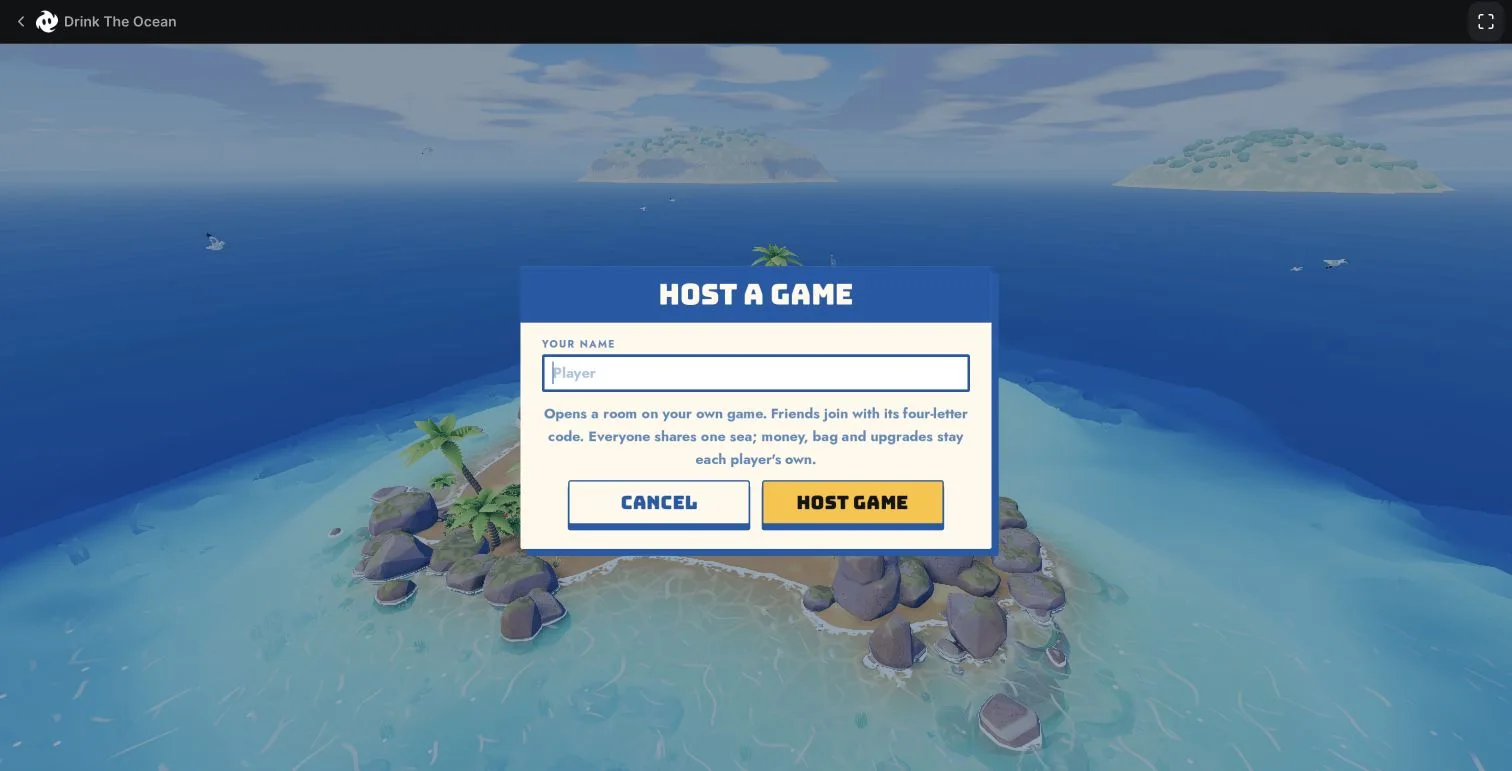
Enter your player name, then confirm Host Game to create a session.
Once in the game, look for ROOM in the top-left HUD. Send that four-letter code to your friends.
The player counter changes from 1 IN to 2 IN when a second player connects. Look for their character, too.
You need their four-letter room code. There is no shared public code for everyone.
Enter your own player name in the join menu.
Use the code your host sent you, then select Join Game. ABCD in the screenshot is a placeholder.
When joining succeeds, you can see another character. Your host should also see the player count increase.
One shared ocean. The game’s menu says money, inventory, straws and upgrades are personal.
Two clients in the same browser successfully hosted and joined, with “2 IN” on the host and the other character visible. Mana advertises 1–4 players; we have not tested four players, separate devices, different networks or reconnect persistence.
CAPTURED IN GAME / NO GUESSWORK
Our actual gameplay and menu captures. Open any screenshot to see the original-size details.
Find the free straw stand and press E when the prompt appears.
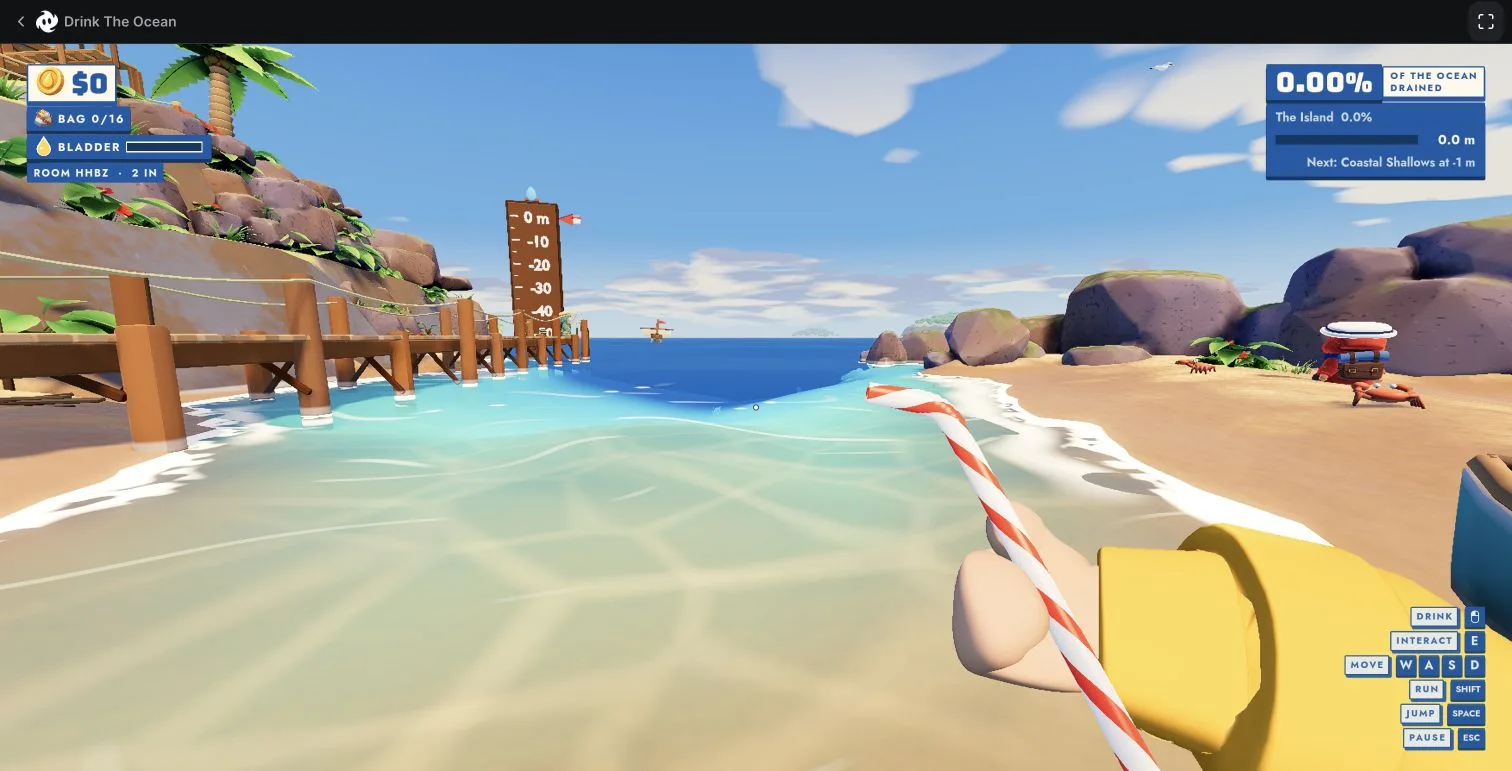
The host’s 2 IN counter from our two-client, same-browser test.
Choose a name, host a game, then share the code from your HUD.
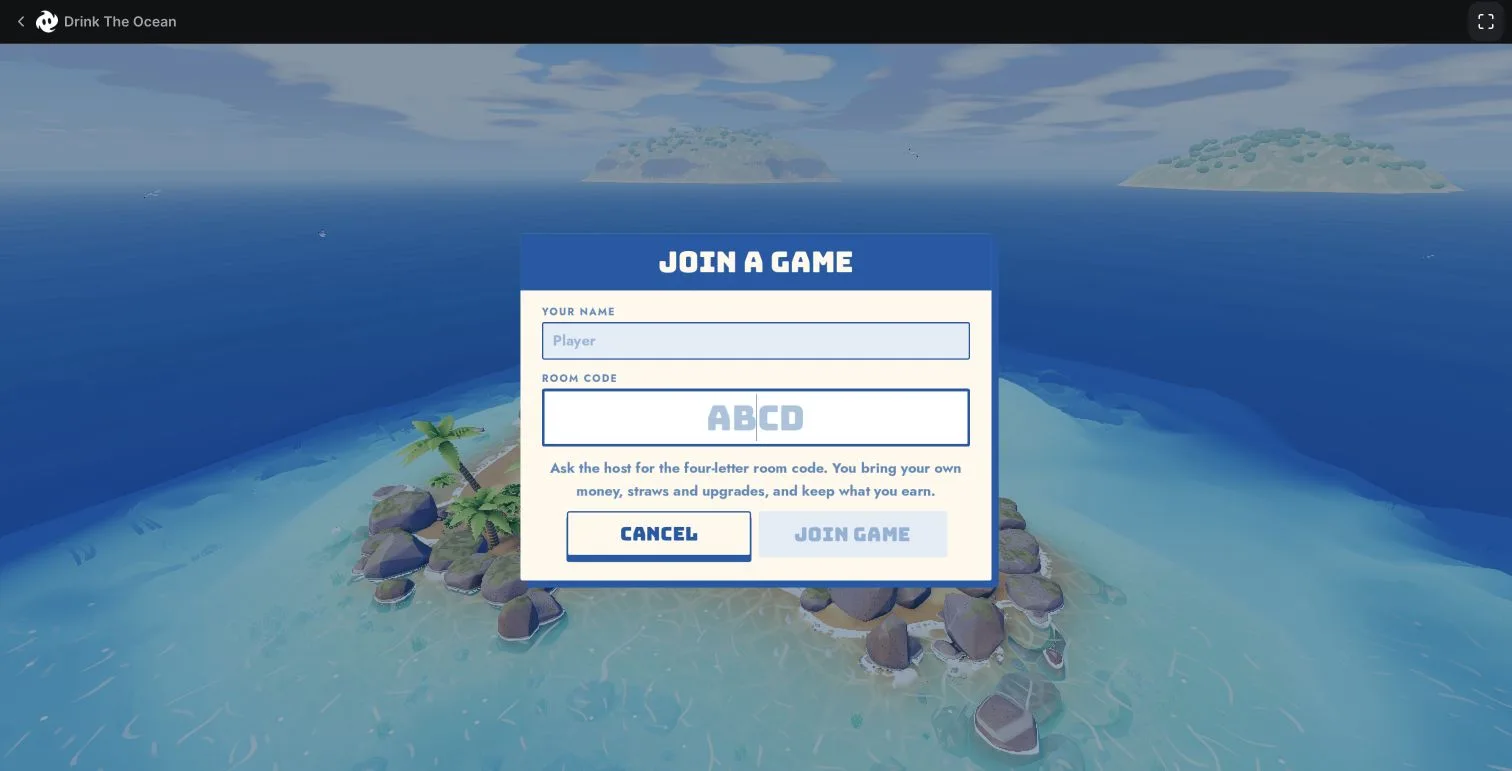
Enter your host’s code. ABCD here is the menu’s placeholder.
Captured November 13, 2026 · Build 1.0.2 · Historical test rooms are closed. Two clients were tested in one browser, not across devices or networks. Sources & testing notes ↗
03 / THE RIGHT OCEAN
Saw a clip with a colorful straw and an island depth marker? This guide is about the Mana version. These other games are separate.
Mana · First-person island, colorful straws and a shared ocean. Desktop browser.
Mana ↗Pinidi Studio · Block-style visuals, salt and a shop. Listed on Playgama.
Playgama ↗Unknowwn Studios · A separate Roblox experience with rebirth and base progression.
Roblox ↗Syphon Software · A different water-draining game sold on Steam.
Steam ↗04 / BEFORE YOU DIVE IN
No mystery downloads. No made-up codes. Just the useful answers.
The Mana version is available in a desktop browser at mana.gs. Use the official Play link above. You do not need to install a separate Steam game to play this browser version.
Choose Multiplayer. One player selects Host Game and shares the four-letter room code. Friends select Join Game and enter that code. Check that the host’s player count increases and that another character appears. See the step-by-step guide above.
Get it from your friend who is hosting a game. The room code appears in the host’s HUD after creating a session. This guide does not generate codes or list public rooms. Codes shown in our historical screenshots are from a closed test session.
The Mana game shown here is not the Roblox experience called Drink The Ocean For Brainrots. They have different developers and gameplay. Use the version comparison on this page to choose the right one.
Mana currently lists desktop browser with keyboard and mouse. Its support page says today’s games need a computer. We have not verified a Mana mobile, PS5 or console release. The similarly named Playgama game is a different title.
This guide covers Mana’s browser game. We have not verified an official Steam release for that same game. Sip Fisher is a separate Steam game with a related water-draining idea.
Mana says the first download can be large, sometimes hundreds of megabytes. Use a current desktop browser and let the download finish. For a slow-running game, Mana recommends graphics acceleration, checking the GPU and lowering in-game quality. These are official support suggestions, not a guaranteed fix for every computer.
Mana’s support page says saves stay in the browser on that device; signing in does not sync them yet. Clearing site data can delete a save. The multiplayer menu also says you bring your own money, straws and upgrades and keep what you earn. We have not tested reconnect or cross-device persistence.
Looking for Steam? Check the game and platform first →
Platform, player-count and gameplay description: Mana’s official game page. Loading, performance and saves: Mana Support. Official pages checked November 14, 2026.
05 / MORE FIELD NOTES
Choose the problem you are solving. Each guide keeps the Mana version, the tested screenshots and the limits of the answer in view.
Start the Mana version, take the free straw, read the money, bag and ocean displays, and understand which progression advice is actually verified.
Read the guide 02 / PLAY TOGETHERFollow tested Mana multiplayer steps with Host and Join screenshots, find your four-letter room code, and check that a friend has actually joined.
Read the guide 03 / GET UNSTUCKSeparate a slow first download from low frame rate, unresponsive controls and missing saves. Follow safe checks and know when to contact Mana support.
Read the guide 04 / FIND YOUR GAMEIdentify Mana's Drink the Ocean before following a guide. Compare its straw, island and room-code menus with Playgama, Roblox and Steam's Sip Fisher.
Read the guideYOU KNOW THE WAY FROM HERE.