1. Get from the starting island to the water
Open the official Mana game on a computer. If you want a shared session, arrange the room first with the multiplayer guide. You do not create a game account or enter a room code on this website.
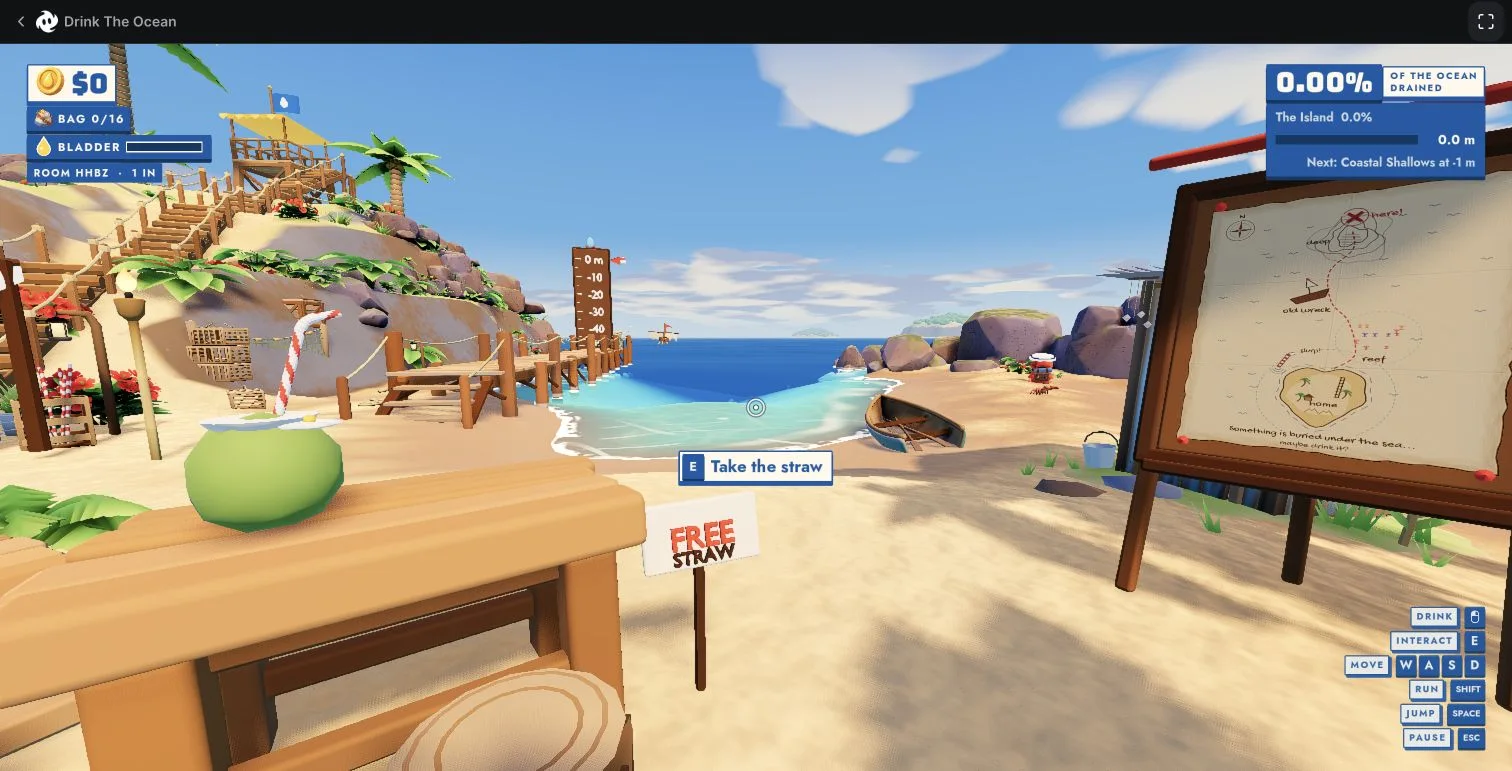
- Find the free straw stand. Our starting screen has a “FREE STRAW” sign and an interaction prompt. Walk close enough for that prompt to appear.
- Press E to take it. In our test, the straw appeared in the first-person view. That is the checkpoint to look for before walking away.
- Move to the shoreline. Use WASD and face the water. Follow the mouse-button drink prompt rather than copying controls from a different version.
If the game has not reached the island yet, repeated clicks will not skip its download. Use the loading checks first.
2. Keep these controls nearby
- Move
- W A S D
- Interact / take straw
- E
- Drink
- Mouse button shown by the drink prompt
- Run / jump
- Shift / Space
- Pause
- Esc
These are the on-screen controls in our tested build. Taking the straw and moving were directly checked; we did not measure drinking speed or compare input methods. If a later build shows a different binding, follow its prompt and tell us what changed.
3. Read the display before spending or resetting
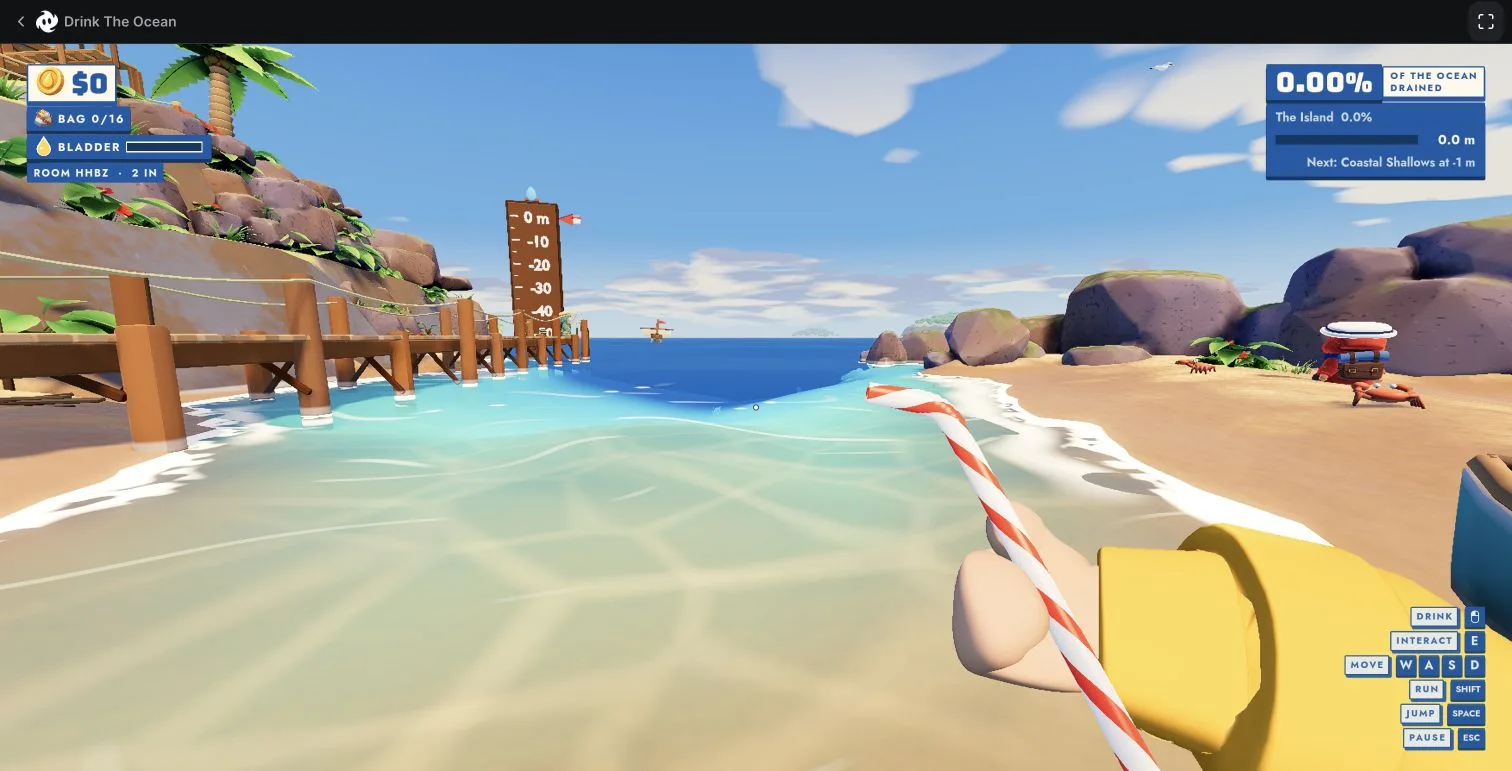
The screenshot below gives you a way to check that you are looking at the same game. The upper-left panel shows money, a bag counter and a bladder bar. In a hosted session, the ROOM line includes the code and player count. The upper-right panel shows ocean drained, the current area and a depth marker.
Those are separate indicators. A friend appearing in the room is a multiplayer checkpoint; it is not proof that your money or inventory became shared. Likewise, a bag count is not an upgrade recommendation. Look at the actual label that changed before deciding what happened.
4. Understand the loop, without a made-up upgrade order
Mana describes a loop of lowering the water, uncovering seabed treasure, selling finds to a merchant and buying stronger straws. Use that as the broad direction after you understand the controls.
When comparing a guide with your own run, ask: is it showing Mana’s island and HUD? Does the purchase screen actually match? Is a quoted price visible in the same build? A guide about pressing water into salt or buying a bigger belly may be describing the Playgama title instead. Check the version comparison before following it.
5. Protect the run you already have
A reload, another browser and another device are different changes. Mana says saves live in the browser on that device and do not currently sync through sign-in. Avoid clearing site data as a casual troubleshooting step; see the save checklist before changing your setup.
Playing with a friend? Check your own items before leaving and do not treat the menu’s progress wording as a tested reconnect guarantee. Our test established joining, not long-term save persistence.
Sources & what was checked
Starting controls, screenshots and room display: our November 13, 2026 test of build 1.0.2. Progression overview: Mana’s game description. Save behavior: Mana Support, checked November 14. Read the testing notes.