Before starting: both players need the Mana version
Send your friend the same official Mana play link, not a generic search result. Similar names appear on Roblox and Playgama, but this walkthrough is for Mana’s Multiplayer menu. A code from one game is not an invitation to another.
Use a computer with a keyboard and mouse. Let both clients finish loading before comparing menus. Mana lists up to four players; our hands-on check covered two clients in one browser, not four players or separate networks.
Host: create a session and find ROOM
- From the main menu, choose Multiplayer.
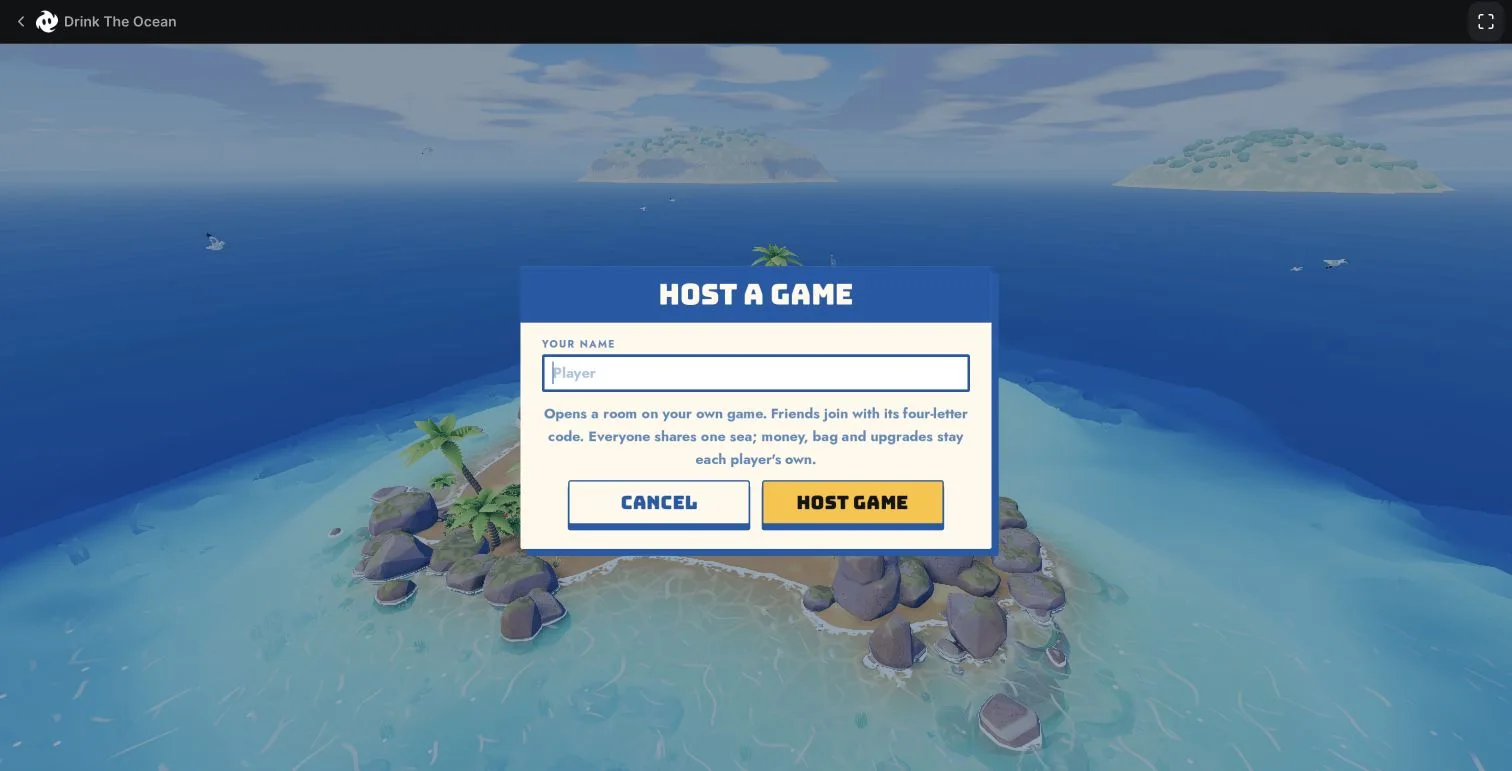
- Select Host Game, enter your player name, then confirm Host Game.
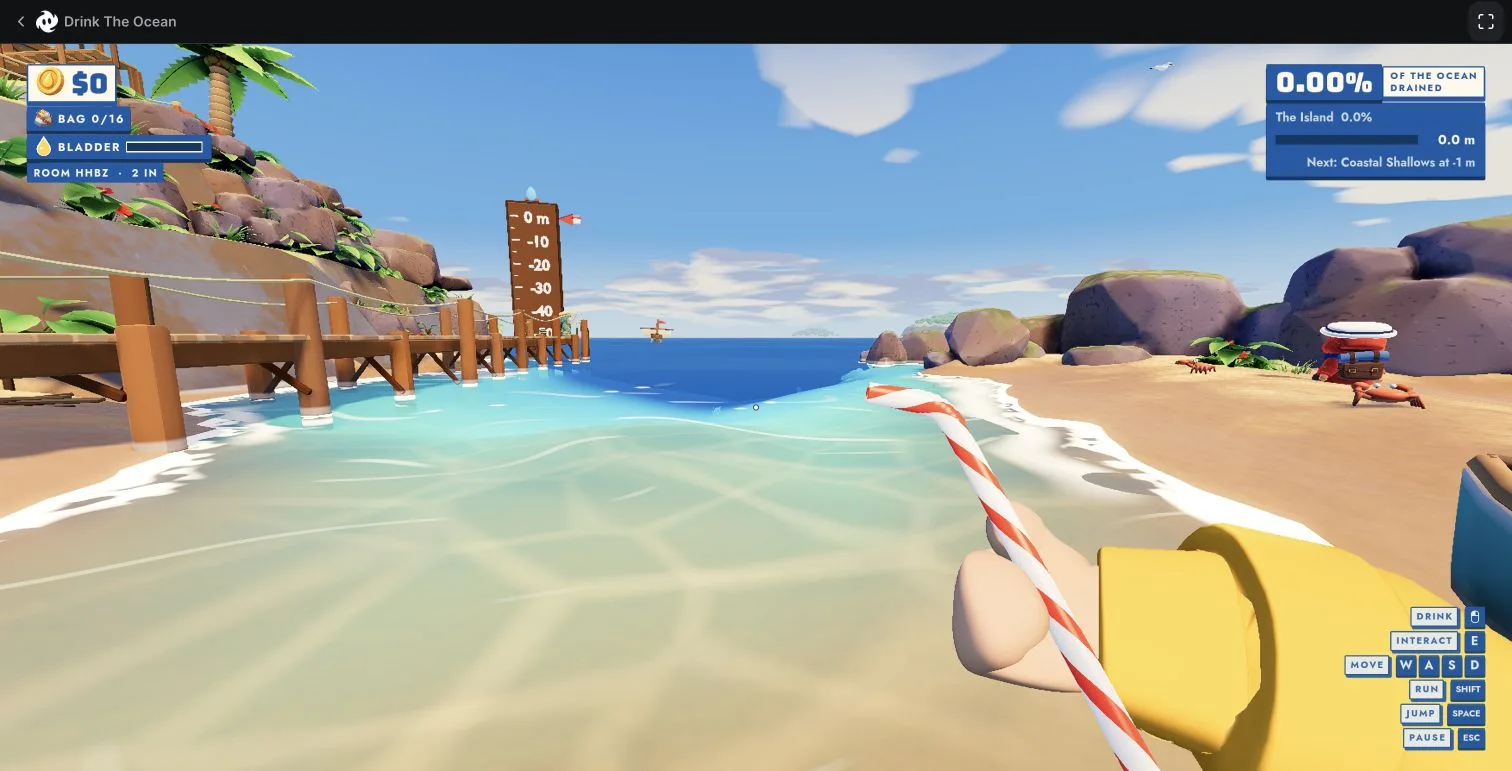
- Once the island is visible, look in the upper-left HUD for ROOM. Read the four letters there.
- Send that code directly to your friend. Keep the host’s game open while the friend follows the Join steps.
Your player name identifies you; it is not the room code. Taking a screenshot of the host menu before the room exists will not give your friend the in-game ROOM line.
Join: enter your name and the host’s code
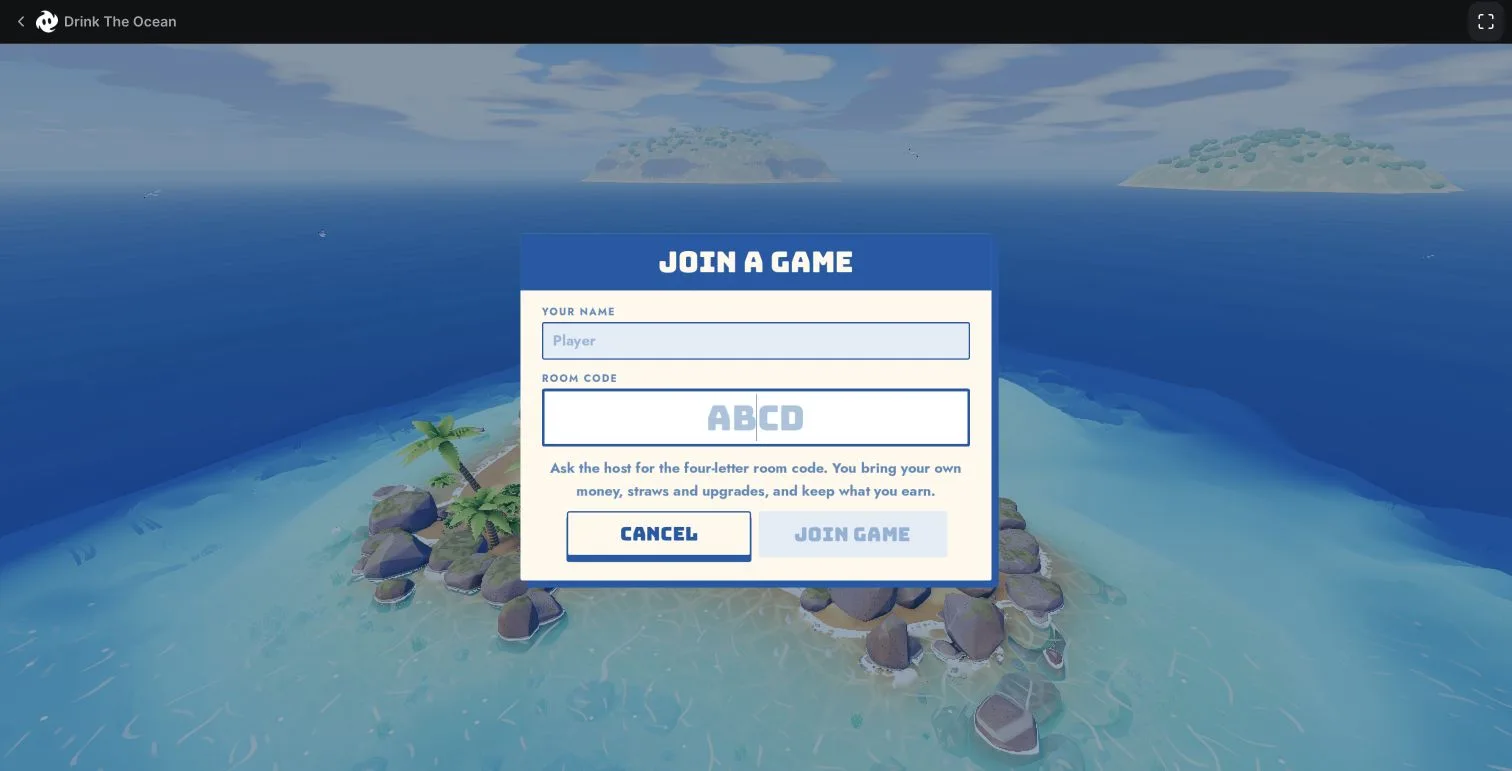
- Open Multiplayer → Join Game.
- Fill in your own player name.
- Enter the four-letter room code supplied by the host, then select Join Game.
- After joining, look for the other character. Ask the host to check the player count as well.
Two checks that confirm more than a button click
In our test, the host’s ROOM line changed from 1 IN to 2 IN. In the second client, the other player’s character was visible. Together, these observations showed that the second client had entered the session.
These checks do not prove long-session stability or every detail of shared-world synchronization. If you need to report a connection problem, describe which checkpoint you reached instead of only saying “multiplayer is broken.”
If a room code is not working
Use this checklist to narrow the problem. These are diagnostic checks, not a tested fix for every connection failure.
- No code: ask the host to enter the island and read ROOM. A nickname, website address or “ABCD” placeholder is not enough.
- Wrong screen: compare both players’ game URL and menu. Roblox and Playgama instructions are separate; use the version guide.
- Code copied from a post or old screenshot: get it from the current host. This site does not operate a list of always-open public rooms.
- Friend still downloading: finish the load check before testing a room connection.
- Still not joining: record the exact error, browser, device, build if shown, and whether either side’s player count changed. Send the information to Mana support; keep the private room code out of public comments.
What is shared, and what is personal?
The game’s Multiplayer menu describes a shared ocean while money, inventory, straws and upgrades belong to each player. Do not assume your friend’s purchase has also changed your own equipment. The menu also describes keeping what you earn, but we did not verify disconnect/reconnect or cross-device recovery.
For browser-save questions, read the save section. Joining a room and proving that a save survives a later visit are separate tests.
Evidence & limits
Host, Join, four-letter code and “2 IN”: our build 1.0.2 screenshots and successful two-client test on November 13. Player limit and platform: Mana’s official listing, checked November 14. We have not verified separate devices, different networks, four-player sessions or reconnect persistence. Full test notes.